Notepad - simple notes
atomczakProductivity
4.516.20K Reviews
- Version
- 1.44.0
- Installs
- 10.00M
- Age Rating
- Everyone
Screenshots
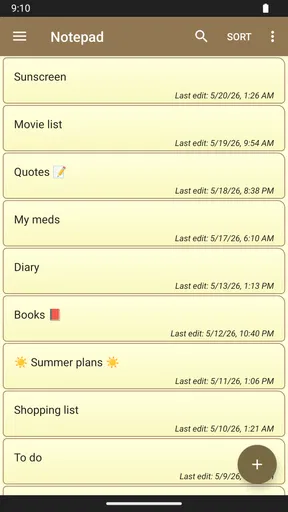
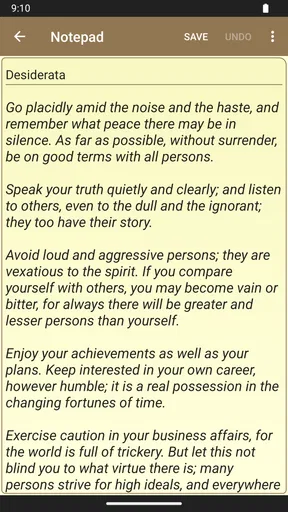
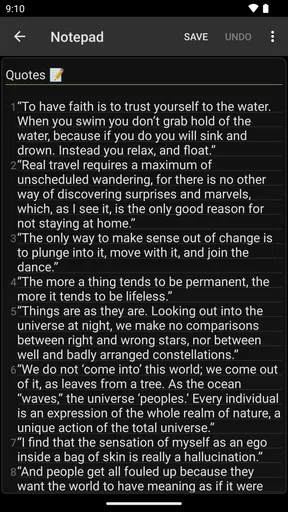
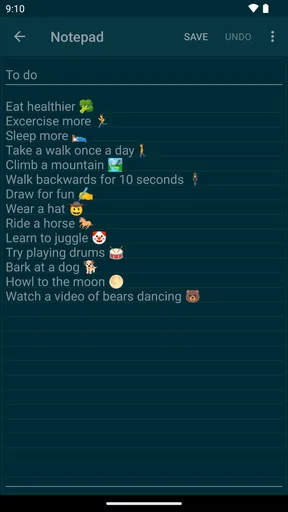
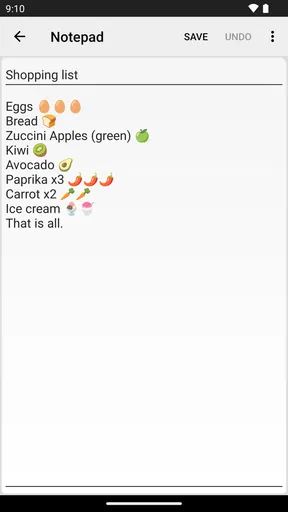
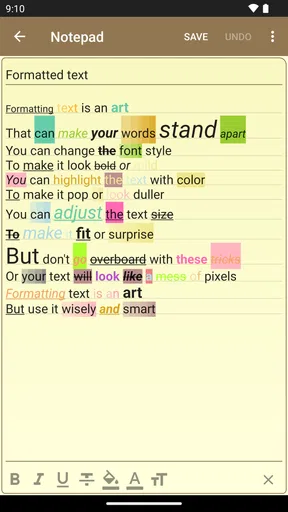
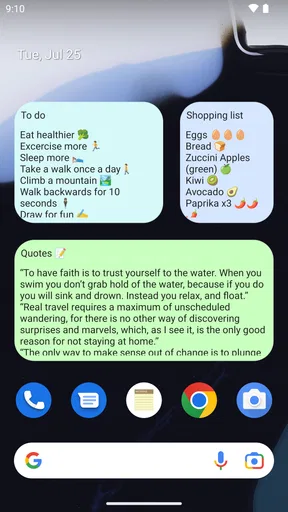
Our Review of Notepad - simple notes
 Analysis by Appyee
I like productivity tools that stay out of the way, and Notepad - simple notes takes that idea seriously. It is a small Android note-taking app from atomczak, built for writing down information without turning every thought into a project. After using it for quick reminders, longer drafts, and temporary reference text, I found its main strength easy to describe: it reduces the distance between having something to remember and getting it onto the screen.
That simplicity matters more than it first appears. Many note platforms begin as blank pages but soon surround writing with folders, templates, sharing controls, formatting menus, accounts, and notifications. Those tools can be useful, yet they also encourage me to spend time managing notes instead of making them. This app takes a quieter approach. It belongs in the productivity category, is free to use, and carries an Everyone age rating, so it feels suitable for a broad range of everyday users.
Its store summary presents it as a notepad for notes, memos, and text files, but my impression is more practical than that description sounds. I see it as a quick landing place for thoughts that would otherwise end up in a chat with myself, on a scrap of paper, or forgotten entirely. The real value is not elaborate organization; it is dependable capture with very little ceremony.
Building a workflow around quick capture
I use quick-capture notes as a deliberate first step, not as a promise to keep every thought forever. That distinction helps me decide what belongs in a lightweight notepad and what should move into a calendar, task list, or longer-term reference system. From there, I’ll look at how to make that habit useful without letting captured notes pile up.
What I used before opening the app
Before using a dedicated notepad, my workflow was usually fragmented. A shopping reminder might go into a messaging draft, a phone number could remain in the call history, and an idea for an article might sit in a browser tab. Each place solved the immediate problem, but none gave me a consistent habit. The result was predictable: I remembered writing something down but not where I had put it.
Notepad - simple notes works best when it replaces that scattered first step. I can open it, create a note, and write the thought in the same place where I expect to find similar thoughts later. That sounds basic, but a sustainable system often begins with one reliable inbox rather than several clever destinations.
I would not treat every note as permanent knowledge. A useful habit is to separate capture from decision-making. When an idea appears, I write it down without trying to title it perfectly or organize it immediately. Later, I can decide whether it deserves to become a task, a reference note, or something I can delete. This keeps the app from becoming another source of friction during a busy moment.
A realistic example is preparing for a weekend away. I might create one note for items to pack, another for questions to resolve, and a third for directions or booking details that I need to copy temporarily. During the day, I add details as they occur to me instead of interrupting the activity to build a polished plan. The app is useful here because the writing itself remains the focus.
Writing short notes and longer text
Short entries are the obvious use case: a measurement, a reminder, a phrase I want to remember, or a quick list of errands. I also found the plain writing space suitable for longer material such as a rough article outline, a personal journal entry, or a draft message that needs editing before I send it. It does not force a short-note mindset, which makes it more flexible than a tool designed only for checkboxes or fleeting reminders.
That flexibility comes with a trade-off. A plain notepad is not the same as a full document editor. If I need complex layout, collaboration, comments, or a carefully formatted document, I would move the work to a more specialized application. Here, the advantage is that an idea can develop without the overhead of choosing a template or configuring a workspace.
One of my favorite ways to use it is as a staging area. I can paste or type information that I need for a few minutes, clean it up, and then transfer the final version elsewhere. This is especially helpful when comparing details from different screens or preparing a concise message. The note becomes a temporary workbench rather than a permanent archive.
Organization without turning notes into a project
The central organizational decision is how much structure I actually need. For a modest collection of notes, clear titles and consistent wording may be enough. I prefer titles that answer the question “What will I look for later?” rather than titles that merely describe when I wrote the note. “Questions for dentist” is more useful to me than “Tuesday notes,” because the first label reflects the future search in my head.
I also recommend keeping one purpose per note whenever possible. A single page that mixes shopping items, work ideas, and travel details may feel efficient at first, but it becomes difficult to review. Separate notes make deletion easier too. Once the shopping list is finished, I can remove that note without disturbing information I still need.
For recurring information, I use a simple naming pattern. A note for a regular household task might begin with the area of life, followed by the subject. The exact wording is less important than repeating the pattern. This is one of the non-obvious strengths of a minimal app: because there are fewer built-in systems to rely on, a small personal convention can make the whole collection easier to manage.
I would avoid creating a note for every sentence. Excessive splitting can be as troublesome as one giant page. My practical rule is to create a new note when the information has a different purpose, audience, or lifespan. A temporary delivery instruction should not share a page with a long-term list of home maintenance ideas.
A repeatable routine that keeps the app useful
The app becomes more valuable when it is part of a routine rather than an occasional emergency drawer. My preferred rhythm has three stages. First, I capture information quickly. Second, at a convenient pause, I review recent notes and make small decisions. Third, I remove or relocate anything that no longer belongs there.
The review stage is important because an uncomplicated notepad can easily become a graveyard of old intentions. A note that was useful yesterday may be irrelevant today. Spending a few minutes looking through recent writing prevents accumulation and keeps the app feeling light. I do not need a complicated weekly planning ritual; I only need to ask whether each note still deserves my attention.
For recurring routines, I would create a fresh note when the context changes instead of endlessly editing an old one. For example, a weekly meal plan can be separate from the previous week’s plan. This preserves a clean starting point and makes it less likely that outdated ingredients or instructions will be mistaken for current ones.
Another useful practice is to write the next action directly into a note. Rather than recording “renew document,” I would write “find the renewal page and check the required photo.” The second version is more actionable and reduces the mental work needed when I return to it. The app does not need to provide a task-management system for this technique to work; the clarity comes from how I phrase the note.
For longer writing, I use a rough-to-clean process. I begin with fragments, then return later to group related thoughts and remove repetition. This makes the app a comfortable place for early drafting. I would not expect it to replace a complete writing environment, but it is effective before the work needs advanced presentation or teamwork.
Where the simple approach can fail
The same restraint that makes the app pleasant can expose its limits. If I need elaborate tags, linked databases, shared editing, reminders, or a rich hierarchy of projects, a more advanced productivity platform will probably suit me better. Those systems take longer to learn, but they earn that complexity when the work involves many people or many connected pieces of information.
I am also careful about treating a notepad as the only place for important information. A note can hold the details I need, but it should not automatically become my backup strategy or my formal record. For critical documents, account recovery information, or anything that must be securely managed, I would choose a tool designed specifically for that responsibility.
Another failure point is assuming that writing a reminder equals scheduling it. A note can describe what I need to do, but it does not replace a calendar entry or an alarm when timing is essential. I use the notepad for the thinking and wording, then move time-sensitive commitments into the appropriate calendar or reminder tool.
Long collections can also become harder to navigate if I do not maintain them. The solution is not to abandon simplicity but to establish a cleanup rule. I might delete completed temporary notes immediately, review reference material periodically, and rewrite titles that no longer make sense. A minimal tool rewards this small amount of discipline.
There is a practical trade-off between speed and structure here. The fewer decisions I make before writing, the faster capture becomes. The fewer decisions I make afterward, the messier retrieval becomes. I get the best results by delaying organization for the moment of capture, but not postponing it forever.
How it compares with familiar alternatives
Compared with a paper notebook, this app is easier to keep with my phone and easier to revise without crossing out a page. Paper still has advantages for sketching, visual planning, and people who think better away from a screen. I would choose paper for free-form diagrams, but this app for text that I expect to edit.
Compared with a messaging draft, it gives my notes a more deliberate home. Drafts are convenient, yet they can become mixed with conversations and are easy to overlook. A dedicated notepad makes the purpose clearer and reduces the chance that a private thought will be sent accidentally while I am trying to move it elsewhere.
Compared with a feature-heavy notes platform, Notepad - simple notes is less capable but also less demanding. A richer service is better for synchronized notebooks, collaborative planning, attachments, and structured research. This app is better when I want a clean text surface and do not want a productivity system to dictate how I work.
That distinction is worth considering before installing it. If I am looking for a complete personal knowledge base, this would feel too narrow. If I want a dependable place for everyday text, its narrowness becomes the reason to choose it. The right question is not whether it has the most features, but whether those features would improve my actual routine.
Who should adopt it
I would recommend it to students who need a quick place for lecture fragments, people who keep short household lists, writers who want a distraction-light drafting surface, and anyone whose current note system is spread across too many unrelated apps. It is also approachable for someone who does not want to learn a complicated productivity method before writing a simple memo.
Its broad reach is reflected in its scale: the app has passed ten million installs, holds an average rating of four and a half from around ninety thousand ratings, and includes roughly sixteen thousand written reviews. Those figures do not decide whether it fits my workflow, but they do suggest that the straightforward approach has found a substantial audience.
The app was released on February 23, 2017, and the current version is 1.44.0. It requires Android 6.0 or later, which makes it accessible on many devices that are not running the newest software. I appreciate that the basic entry point is free, because it lets me test the workflow without turning a small experiment into a financial commitment.
I would skip it if my priority is a shared workspace, a detailed task manager, rich document formatting, or a central archive for many kinds of media. I would also skip it if I know I will never review old notes, because even the cleanest capture tool becomes frustrating when everything stays mixed together indefinitely.
My recommendation after using it
What I take away from Notepad - simple notes is not a long feature checklist but a useful boundary. It handles the first act of productivity well: getting words out of my head and into a place I can revisit. The rest of the system still depends on me deciding what those words mean and where they belong.
That makes it a good companion to a sustainable routine. I can capture quickly, title notes for future retrieval, review them at natural pauses, and move important commitments into more suitable tools. I do not need to force every piece of information into one application, and I do not need to turn a simple memo into a project.
My recommendation is straightforward: choose it when low friction matters more than a large feature set. For quick notes, temporary text, personal lists, and early drafts, the focused design is genuinely useful. For collaboration, scheduling, secure record-keeping, or complex knowledge management, I would look elsewhere. Used within that boundary, this free productivity app from atomczak earns its place as a quiet, practical part of my everyday workflow.
Verdict
Strengths of Notepad - simple notes
- Clean, distraction-free interface that is easy to navigate
- Opens quickly, making it convenient for capturing spontaneous ideas
- Lightweight design uses minimal storage and system resources
- Simple text editing is suitable for lists, reminders, and short notes
- Notes can be created and edited without a complicated setup
Limitations of Notepad - simple notes
- May lack advanced formatting options for structured documents
- Limited organization tools can make many notes difficult to manage
- No built-in cloud sync may put notes at risk if the device is lost
- Sharing options may be less flexible than those in larger note-taking apps
- Not ideal for collaborative editing or sharing notes with multiple users
Similar Picks in This Category
View All
Google Calendar
Google LLC4.6

Google Drive
Google LLC4.3

Google Assistant
Google LLC3.9

Microsoft OneDrive
Microsoft Corporation4.6

Samsung Calendar
Samsung Electronics Co., Ltd.4.1

Microsoft OneNote: Save Notes
Microsoft Corporation4.6
Frequently Asked Questions
What is Notepad - simple notes used for?
Notepad - simple notes is designed for quickly writing and storing everyday information on a mobile device. During testing, it proved useful for short reminders, shopping lists, ideas, tasks, addresses, and other text that does not require a complicated organization system. Its straightforward layout makes it suitable for users who want a lightweight note-taking app instead of a feature-heavy productivity platform.
Does Notepad - simple notes require an internet connection?
The app is primarily intended for creating and reading notes directly on your device, so basic note-taking generally does not depend on an internet connection. This makes it convenient when traveling, working offline, or using a device with limited data access. However, availability of features such as synchronization, backups, advertising, or external sharing may depend on the app version and device settings.
Are my notes saved automatically?
Notepad - simple notes is built around fast, uncomplicated note creation, and notes are typically stored on the device as you work. Even so, users should avoid assuming that every note is safely backed up in the cloud. Before uninstalling the app, changing phones, resetting the device, or clearing its data, check whether the current version provides export, backup, or synchronization options.
Can I organize, search, or share notes in Notepad - simple notes?
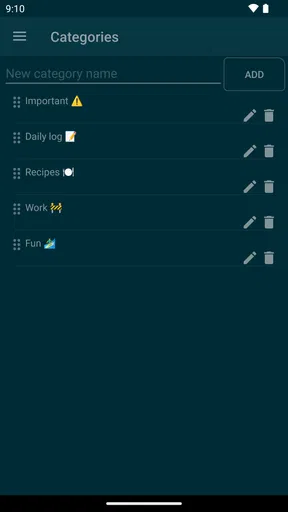
The app focuses on simplicity, so its organization tools may be more limited than those found in advanced note-taking services. Depending on the version, you may be able to create separate notes, edit existing text, and share content through other applications using the standard Android or iOS sharing menu. Users managing many notes should check the available search, sorting, and categorization features before downloading.
Is Notepad - simple notes free and safe to use?
The application can generally be downloaded and used without paying for basic note-taking, although the exact pricing model may vary by platform or version. Some releases may include advertisements or optional purchases. For safety, download it only from the official Google Play Store or Apple App Store, review the requested permissions, and read the current privacy policy before entering sensitive information such as passwords or financial details.
